
Turn complete Figma projects into editable websites
Organize pages and responsive designs, build for your chosen platform, and compare the finished result with Figma.
From Figma to the website platform your team already uses.
From Figma to a site you can ship.
Build faster
UpBuilder AI handles focused tasks, then combines them into one consistent site.Ship full sites
Create responsive, editable websites—not flattened screenshots.Stay editable
Keep working in Webflow, Elementor, or code after export.
One workflow from Figma to website
Bring in real
Figma files.
Import complete pages, assets, layers, and designs—even without Auto Layout.
Learn moreMap pages
& breakpoints.
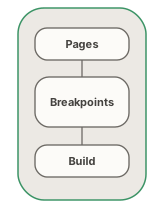
Group desktop, tablet, mobile, and other references into the right website pages.
Learn moreBuild editable
website output.
Create destination-specific Webflow, Elementor, React, HTML/CSS, or Astro output that remains editable.
Learn moreCompare, repair
& verify.

Check screenshots against Figma and review supported behavior before handoff.
Learn moreChoose how you export
Start free, pay once, or choose unlimited projects with Max.
Free
Explore the workflow and prepare your first website project.
Free
No card required- Limited project builds
- 15 pages per import
- Export to all platformsNot included
- Priority supportNot included
One export
Pay oncePay once to export one complete website project without a subscription.
$20
One-time payment- One complete project export
- Multiple pages and breakpoints
- All supported platforms
- No recurring charge
Max
UnlimitedFor teams regularly building and exporting websites from Figma.
$20
per month · billed $240 yearly- Unlimited project builds
- 15 pages per import
- Export to all platforms
- Figma comparison and destination QA
- Priority support